## Datalyst Blog
Datalyst delivers expert managed IT services in Providence, RI. Optimize performance, secure your systems, and grow with us. Contact us today!
[ Categories ](https://datalyst.directivesites.com/blog/categories "Categories")
[ Tags ](https://datalyst.directivesites.com/blog/tags "Tags")
[ Categories: All Categories ](https://datalyst.directivesites.com/javascript:void(0); "Categories")
Search...Suggested keywords
[ x ](https://datalyst.directivesites.com/javascript:void(0);)
# Tip of the Week: Using People Graph in Microsoft Excel
[Datalyst Blog](https://datalyst.directivesites.com/blog/categories/blog) [Tip of the Week](https://datalyst.directivesites.com/blog/categories/tip-of-the-week)
[Daniel Mathieu](https://datalyst.directivesites.com/blog/blogger/daniel-mathieu)
Monday, 24 July 2023
[ 0 Comments ](https://datalyst.directivesites.com/blog/tip-of-the-week-using-people-graph-in-microsoft-excel#comments)
[  ](//datalyst.directivesites.com/images/easyblog_shared/July_2023/07-24-23/551542200_peoplegraph_400.jpg "Tip of the Week: Using People Graph in Microsoft Excel")
Microsoft Excel is a great way for data to be visualized, particularly as it offers various features to highlight the context of the data you’re trying to communicate with. Today, we wanted to walk you through how you can use one such feature—People Graphs—to do so particularly impactfully.
## What are People Graphs?
People Graphs are a Microsoft Office Add-In that allows you to create a quick data visualization. While the default icon included in the People Graphs is, predictably, a person, the graphs can be customized to display different icons—from a star, a heart, a clock, a bag of money or various others.
Let’s go over how you can create these simple graphs to present simple data points to your advantage.
## Creating a People Graph
First, you need to have the data you want your People Graph to depict in your spreadsheet. Let’s assume that you wanted to share some statistics concerning the work/life balance habits of today’s workers. In one column, list out the stats you want to share, and in the next, list out the numerical values associated with these statistics.

Select this data range. Then, in the **Insert** toolbar, select **People Graph** under **Add-Ins**. A premade graph will appear on your sheet. Select the **Settings** option, which will appear in the top-right corner when you click on the graph.
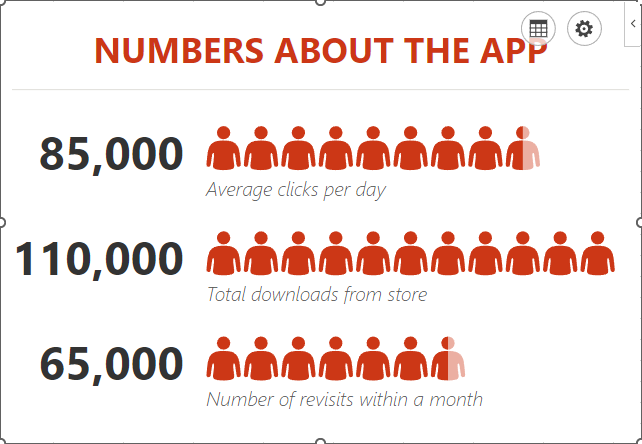
From there, you can customize what your graph looks like, its color scheme, and the shape of the icon itself.
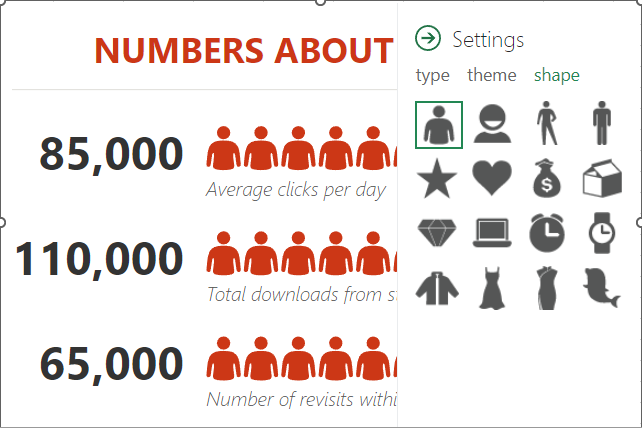
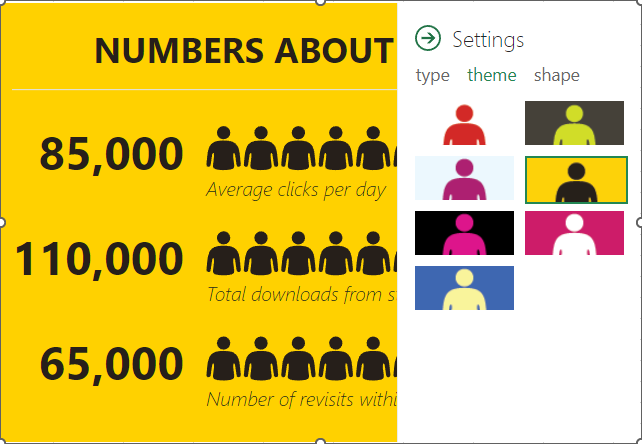
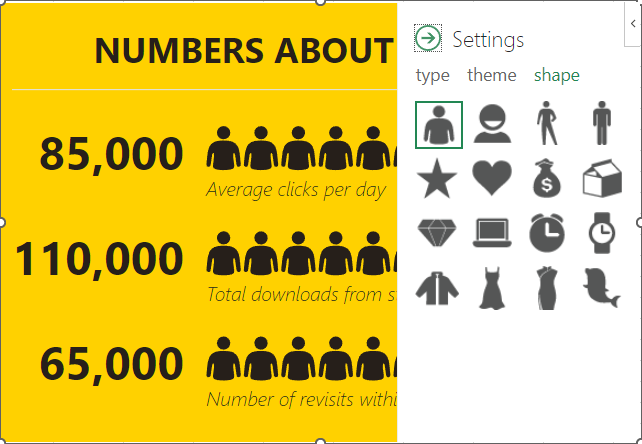
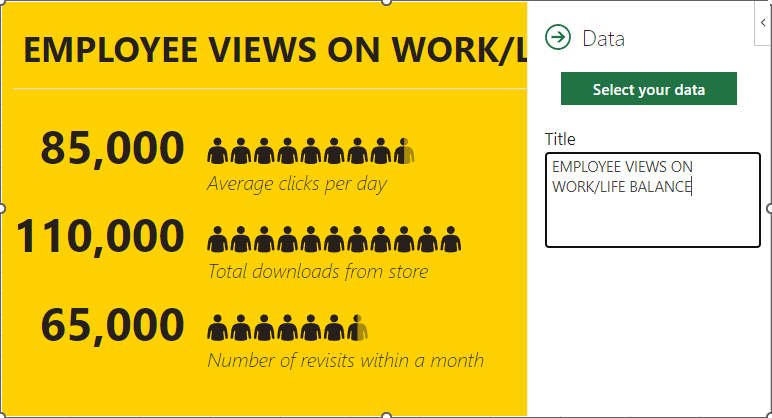
Once you’re pleased with the appearance of your graph, you can then select the grid button that appears next to the settings option. From there, you can customize the title and select the data that your graph pulls from.
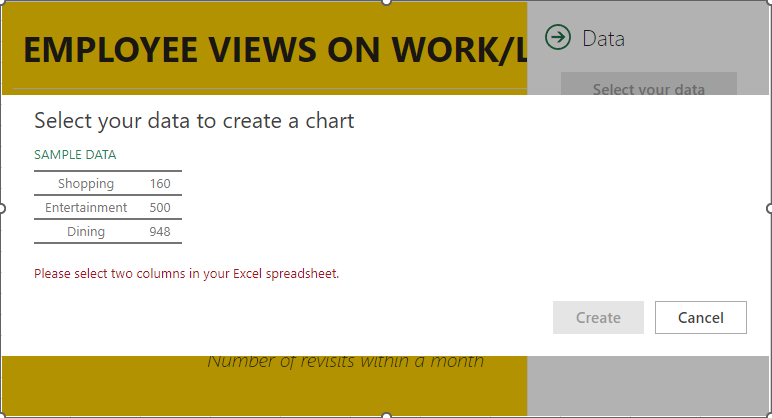
Once you’ve selected the data, click **Create**, and your People Graph is complete.
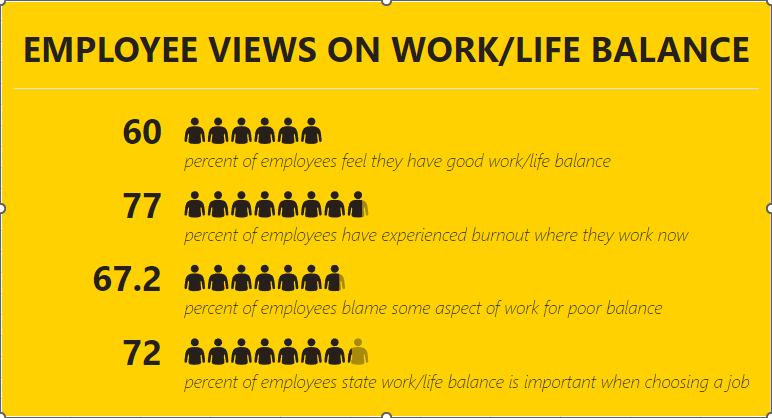
Hopefully, you find plenty of use out of this capability!
[ ](https://datalyst.directivesites.com/javascript:void(0);) [ ](https://datalyst.directivesites.com/javascript:void(0);) [ ](https://datalyst.directivesites.com/javascript:void(0);)
Tags:
[Tip of the Week](https://datalyst.directivesites.com/blog/tags/tip-of-the-week) [Microsoft Office](https://datalyst.directivesites.com/blog/tags/microsoft-office) [Quick Tips](https://datalyst.directivesites.com/blog/tags/quick-tips) [Data](https://datalyst.directivesites.com/blog/tags/data)
[ Why You Might Consider Taking Your Security to the... ](https://datalyst.directivesites.com/newsletter-content/why-you-might-consider-taking-your-security-to-the-edge)
[ Looking at the Benefits of Cloud vs. Onsite Storag... ](https://datalyst.directivesites.com/newsletter-content/looking-at-the-benefits-of-cloud-vs-onsite-storage)
About the author
[  ](https://datalyst.directivesites.com/blog/blogger/daniel-mathieu)
[Daniel Mathieu](https://datalyst.directivesites.com/blog/blogger/daniel-mathieu)
[ ](https://datalyst.directivesites.com/javascript:void(0); "Subscribe to updates from author") [ ](https://datalyst.directivesites.com/javascript:void(0);) [ ](https://datalyst.directivesites.com/blog/blogger/daniel-mathieu)
Dan is a trusted IT advisor with a background of over 25 years in IT and continuously works on the challenges of putting the right people in place to drive business growth and customer satisfaction.
Author's recent posts
[More posts from author](https://datalyst.directivesites.com/blog/blogger/daniel-mathieu)
[ Friday, 31 July 2026 Are You Paying for Inactive Software? ](https://datalyst.directivesites.com/blog/are-you-paying-for-inactive-software)
[ Wednesday, 29 July 2026 3 Reasons Why Storing Business Files Locally is Obsolete ](https://datalyst.directivesites.com/blog/3-reasons-why-storing-business-files-locally-is-obsolete)
[ Tuesday, 28 July 2026 Combating Software Bloat and Cyber Risks ](https://datalyst.directivesites.com/newsletter-content/combating-software-bloat-and-cyber-risks)
Comments
No comments made yet. Be the first to submit a comment
**** Already Registered? [Login Here](https://datalyst.directivesites.com/home/login-logout?return=aHR0cHM6Ly9kYXRhbHlzdC5kaXJlY3RpdmVzaXRlcy5jb20vYmxvZy90aXAtb2YtdGhlLXdlZWstdXNpbmctcGVvcGxlLWdyYXBoLWluLW1pY3Jvc29mdC1leGNlbA==)
Tuesday, 04 August 2026
Subscribe to the blog (Please fill in your email address to subscribe to updates from this post.)
**Captcha Image**