


Datalyst Blog

Datalyst Blog

Datalyst delivers expert managed IT services in Providence, RI. Optimize performance, secure your systems, and grow with us. Contact us today!

Tip of the Week: How to Create QR Codes in Microsoft Excel

Tip of the Week: How to Create QR Codes in Microsoft Excel

QR codes are a handy way to direct someone to the right place online, like your business’ website, but did you know that they are also pretty easy to make? Let’s go over how you can whip up your own with the help of Microsoft Excel.

First, You Need to Build a Table

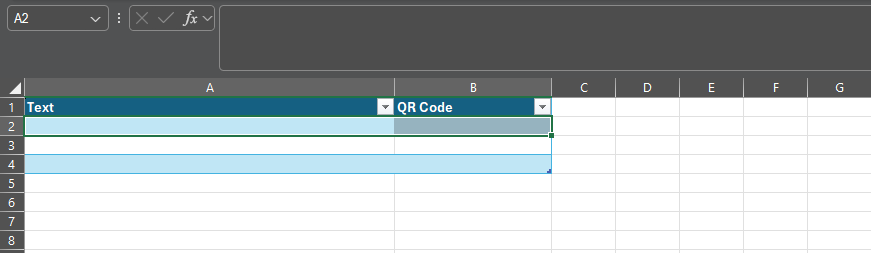
In Excel, you’ll want to create a table. Under the Insert menu, select Table and make one with two columns. Rename Column1 as Text and Column2 as QR Code.

The result should look like this:

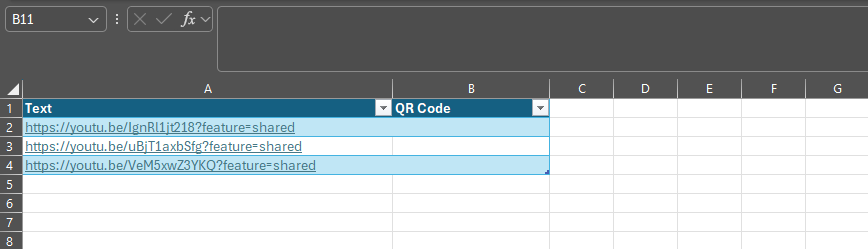
Next, You Populate It With Your Links

In the Text column, paste the links for which you want to generate a QR code.

Then, You Add the Formula

Then, selecting the top empty space in the QR Code column, paste in the following formula: 

=IMAGE("https://api.qrserver.com/v1/create-qr-code/?size=150x150&data="&[@Text]&"")

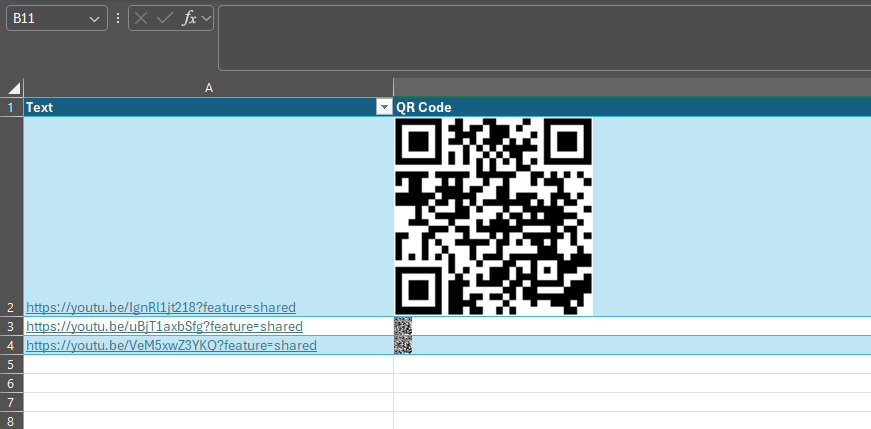
Finally, You Have Your QR Code

This will generate a QR code for each link in the corresponding cell. While we have edited the screenshot somewhat to show you the result more clearly, all of these codes will direct to the associated link, and can be copied and used elsewhere.

It’s Really That Simple!

Stick around for more handy tips and discussions about numerous IT topics and happenings. To learn more about what we can do to assist your business with its IT directly, contact us at (774) 213-9701.

Understanding What You Can Get Out of Managed IT S...
Staying Safe on Social Media Boils Down to These T...
 

Comments

No comments made yet. Be the first to submit a comment
Guest
Already Registered? Login Here
Tuesday, 04 August 2026

Captcha Image

About Datalyst

Datalyst has been serving the Southern New England area since 2010, providing IT Support such as technical helpdesk support, computer support and consulting to small and medium-sized businesses. Our experience has allowed us to build and develop the infrastructure needed to keep our prices affordable and our clients up and running.

get a free quote


DATALYST is a Registered Trademark
The United States Patent and Trademark Office reference number: 5,341,888

Understanding IT

Get the Knowledge You Need to Make IT Decisions

Technology is constantly evolving, and keeping up can feel overwhelming. Whether you want to understand cybersecurity threats, explore automation, or learn how regulations like PCI DSS impact your business, we’ve made it easy to access clear, straightforward insights on key IT topics.

Insights to Understanding IT

Contact Us

10 Riverside Drive Suite 106
Lakeville, Massachusetts 02347

Mon to Fri 9:00am to 6:00pm

[email protected]

(774) 213-9701